

If you're using Novacal to streamline your meeting scheduling, booking questions are the feature that will transform how you prepare for calls. Instead of spending the first 10 minutes of every meeting gathering basic information, you'll have everything you need before the conversation even starts.
What Are Booking Questions?
Booking questions are customizable form fields you add to your Novacal.io event types. When someone schedules time with you, they answer these questions before confirming their booking. You get context, they get a better meeting - everyone wins.
Why They Matter
The difference between a good meeting and a great one often comes down to preparation. When you know what someone wants to discuss before they join your call, you can review relevant materials, prepare specific examples, and jump straight into the productive part of the conversation. Booking questions save you time while making you look more professional and prepared.
They also help filter your calendar intelligently. The right questions naturally encourage serious prospects to engage while giving tire-kickers a moment to reconsider whether they're ready for a conversation. You're not being exclusionary, you're simply helping people self-select based on their actual needs and timeline.
The Most Useful Booking Questions (That Work for Almost Any Meeting)
- What would you like to discuss during our meeting? - Gets people thinking clearly about their needs and gives you a focused agenda.
- What's the main challenge or goal you're hoping to address? - Helps you understand their motivation and prepare relevant solutions or examples.
- Please share any relevant background or context - Open-ended enough to capture details specific to their situation.
- What's your timeline for [solving this/making a decision/implementing]? - Reveals urgency and helps you prioritize your preparation.
- Who else should be involved in this conversation? - Identifies if you're talking to the decision-maker or if others need to join.
- Is there anything specific you'd like me to prepare or review beforehand? - Shows professionalism and ensures you bring the right materials.
Best Practices for Booking Questions
The challenge with booking questions is finding the sweet spot between gathering useful information and creating friction in the booking process. Start with three to five questions for most meeting types, that's usually enough to get the context you need without overwhelming people.
Make only the truly essential questions required. People are much more likely to complete optional fields than you might expect, especially when you explain why you're asking. The language you use matters too. Vague questions like "What brings you here?" get vague answers. Specific questions like "What specific marketing challenge would you like help solving?" generate specific, useful responses.
Don't ask for information you already have. If someone is booking from your pricing page, you probably don't need to ask how they heard about you. And perhaps the most critical mistake is not actually reviewing the answers before your meetings. If you're going to ask booking questions, build in five minutes before each call to review what people have told you.
How to Create Booking Questions
- Create a new account or login to Novacal
- Navigate to Your Desired Event Type Start by selecting the event type you want to customize. Each event type can have its own unique set of booking questions tailored to that specific meeting format.
- Go to the Booking Form Section Once you've opened your event type settings, locate the booking form section. This is where you'll manage all the information you collect from clients.
- Review the Default Fields You'll notice some default fields are already included—typically name, email, and a notes field. These standard fields ensure you capture basic contact information from every booking.
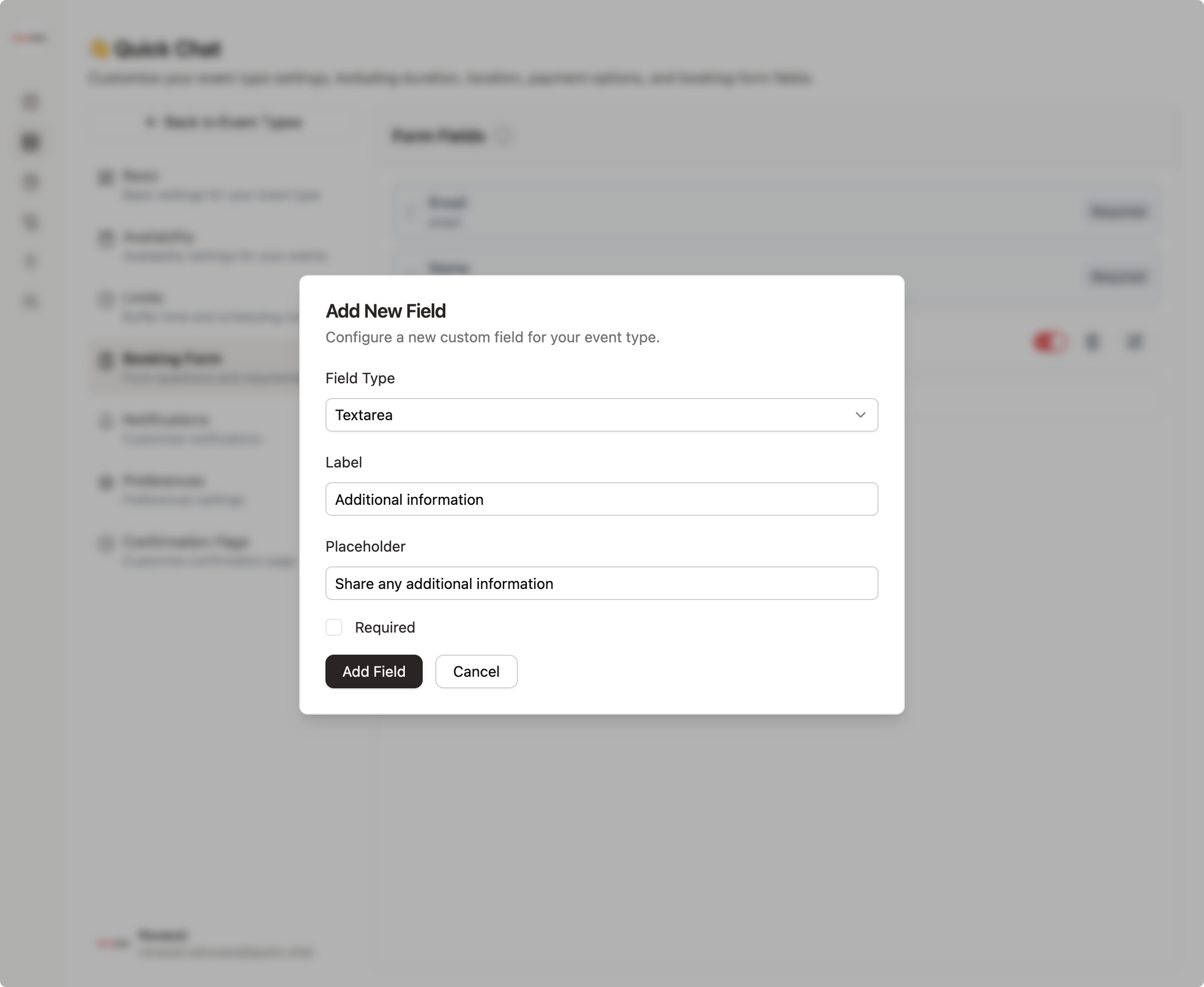
- Add a New Question Click the "Add New" button to open the question creation dialog. This is where you'll build your custom field.
- Select the Best Field Type Choose from a variety of field types that match the information you need. For example, you can use simple text fields for open-ended answers, selection fields when clients need to choose from predefined options, or checkbox fields when multiple selections are needed. Browse through the available options to find the perfect fit for your question.
- Set Field Requirements Toggle the "Required" option if the question must be answered before booking. This ensures you never miss critical information. When you're satisfied, click "Save."
- Your Questions Go Live Once saved, your booking questions will immediately appear on your booking page for that event type. Clients will see and answer these questions when scheduling their appointment.
Booking questions transform your scheduling link from a simple time-picker into an intelligent preparation system. They help you show up to every meeting informed and ready to deliver value from the first minute.
Start simple with three or four essential questions. Test the booking experience yourself to make sure it feels smooth, then refine based on the quality of information you receive. The few minutes you invest in setting this up will save you hours of meeting time and create better experiences for everyone who books with you.