
We've all been there: you finish one video call and immediately jump into the next, your brain still processing the previous conversation while you're expected to be fully present for a new one. By the end of the day, you're exhausted, behind on actual work, and wondering where all your time went. That's where buffer time comes in.
What Is Buffer Time?
Buffer time is a scheduled block between meetings or tasks that gives you space to decompress, prepare, or handle unexpected delays. Think of it as a cushion in your calendar (typically ranging from 5 to 30 minutes) that prevents your day from becoming one continuous meeting marathon.
This isn't wasted time. It's strategic time that allows you to:
- Process what you just discussed
- Take necessary breaks
- Prepare for your next meeting
- Handle tasks that inevitably run over
- Actually respond to urgent messages or emails
Why Buffer Time Matters
- Prevents cognitive overload. Your brain needs time to shift contexts. When you jump from a budget review to a creative brainstorm to a client call without pause, the quality of your participation suffers in each meeting.
- Reduces chronic lateness. If your meetings run back-to-back and one goes over by even five minutes, you're now late to everything else for the rest of the day. Buffer time builds in forgiveness for reality.
- Protects your wellbeing. Constant meetings without breaks is a recipe for burnout. Buffer time ensures you can grab water, use the restroom, or simply rest your eyes between calls.
- Improves meeting quality. When you have time to review notes and prepare beforehand, you show up more engaged and effective.
How to Set Up Buffer Time in Novacal
- Get started. Create a new account or login to your existing one.
- Navigate to yourevent type. Go to the specific event type where you want to add buffer time. This could be your standard 30-minute consultation, team check-in, or any other meeting type you've created.
- Open theLimitstab. Within your event type settings, click on the Limits tab. This is where you'll find all the scheduling controls and restrictions for that particular meeting type.
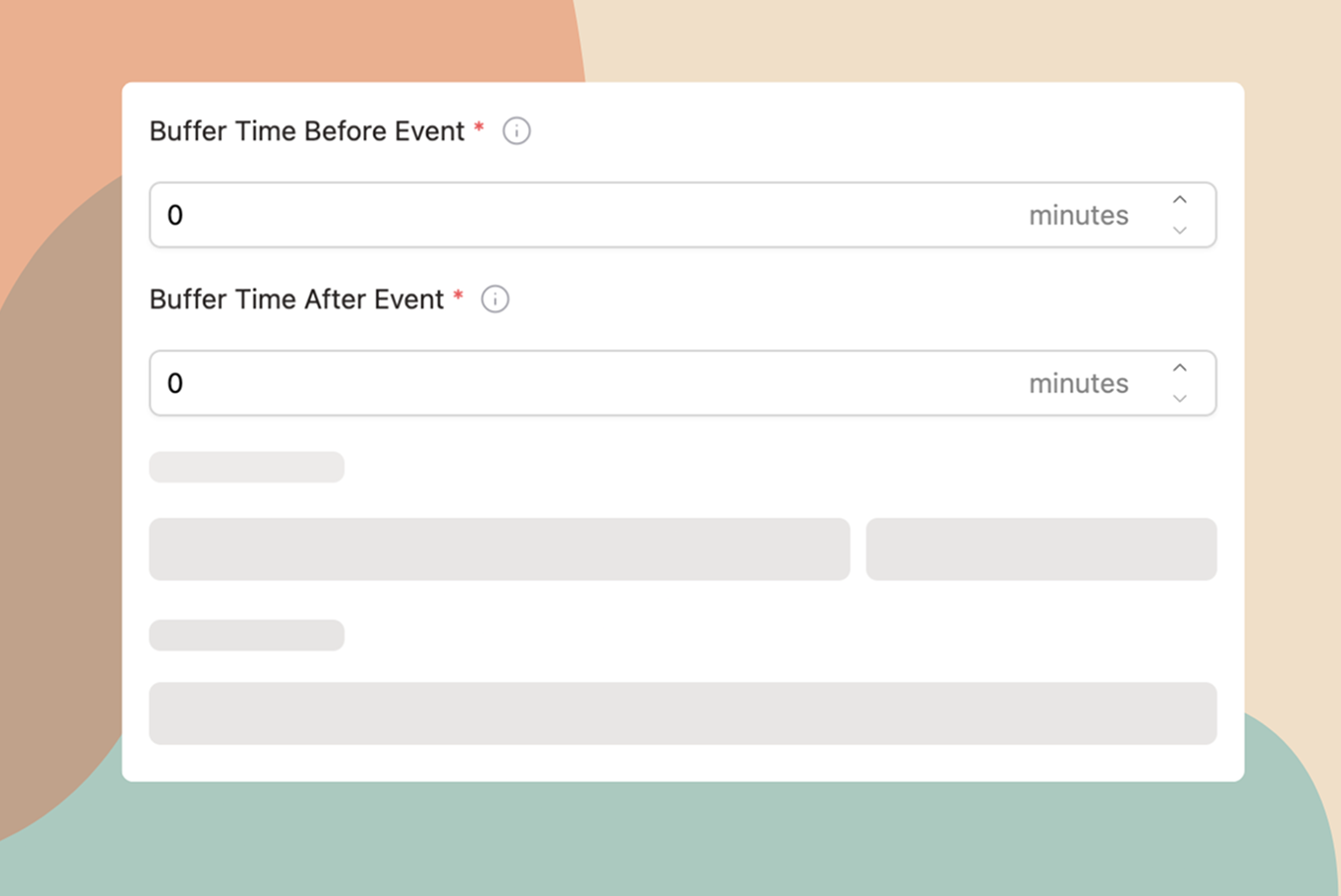
- Setbuffer time before event. Choose how many minutes of buffer time you want before the meeting starts. This gives you time to prepare, review notes, or simply catch your breath before the conversation begins.
- Set[buffer time after event**](buffer time after event).** Choose how many minutes you want blocked after the meeting ends. This protects time for follow-up tasks, processing what was discussed, or transitioning to your next activity.
- Customize for differentmeeting types. Repeat this process for each of your event types. You might want 5 minutes of buffer for quick check-ins but 30 minutes after intensive client presentations or brainstorming sessions.
- Share your booking links. Once configured, your buffer time is automatically enforced. When someone books a meeting with you through Novacal, the system prevents back-to-back bookings and protects your buffer time automatically.
Buffer Time Best Practices
Stack similar meetings together. If you need to have a meeting-heavy day, group similar types of conversations. This reduces the cognitive switching cost, and you can use smaller buffers between related meetings.
Block focus time separately. Buffer time is different from deep work time. While buffers help with transitions, you also need larger blocks (2+ hours) for focused, uninterrupted work.
Be realistic about meeting lengths. If your "30-minute" meetings consistently run 40 minutes, either schedule them for 45 minutes with buffer, or get better at keeping them on track.
Take actual breaks. Use some of your buffer time to step away from your screen. Your body and mind will thank you.
Review and adjust. After a few weeks, look at how your buffer time is working. Do you need more? Less? Different amounts for different types of meetings? Refine your approach based on what you learn.
Common Objections (And Why They're Wrong)
"I don't have time for buffer time." You don't have time NOT to use buffer time. The productivity loss and stress from back-to-back meetings costs you more than the 10 minutes of buffer would.
"People will think I'm inefficient." Actually, it signals that you value quality over quantity and respect everyone's time enough to show up prepared and present.
"My calendar is already too full." This is exactly why you need buffer time. Start by protecting just one or two buffers per day, and build from there. You may also need to audit your meetings and decline or delegate some.
Buffer time isn't a luxury. It's a necessity for sustainable productivity. By building in these small gaps, you're not doing less; you're setting yourself up to do better work with less stress.
Start small. Add 10 minutes between your meetings tomorrow and notice the difference. Your future self will thank you.